
Running Linux on HP Jornada 720
HP Jornada 720 is bit older device, but exactly for that reason it is time to run Linux on it as Microsoft Windows for Handheld PC 2000 3.0 is suffering from driver and software insufficiency. Therefore Linux can bring a new life to this nice device. And Linux is even nicer than MWHPC2000.
After 7 years of excelent services I retired my J720 at 05/2012. It will take a honour place in my computer history museum. I do not have a 1:1 replacement, so far i got Sony Vaio P, this is the closest I can find.
- What is HP Jornada 720
- Linux for Jornada 720
- Using 2.4 kernel with Familiar Linux, without flashboard
- Kernel 2.6 - experimental
- Using Linux with flashboard
- Serial console to Jornada
- Hardware for Jornada 720
- Jornada Keyboard and touchscreen
- Jornada 680 and 720 cradle pin out
- Sync cable pinout
- Flashboard for j720
- References
What is HP Jornada 720
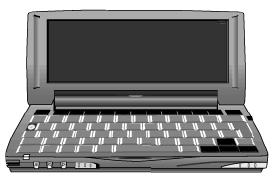
- Processor: 206 MHz 32-bit StrongARM RISC
- Display: 6.5 inch (16.7 cm) color LCD display (supports up to 65,536 colors), 640 x 240 pixels on screen, 2D graphics acceleration; EPSON 135(0)6 Framebuffer (512k); Display resolution: 640x240x16b
- Input: Comfortable touch-typeable keyboard (3/4 full-size), Embedded numeric keypad, Touch screen
- Memory: 32 MB SDRAM, 51 MHz
- Comm: High-performance internal modem 56 Kbps, v.906
- Card slots: One PC Card Type II card slot, One CompactFlash Type I card slot, One Smart Card reader card slot
- Ext. ports: One RS232C serial port, 115Kbps, One IrDA port, 115Kbps, One RJ11 modem port
- Sound: Audio speaker and microphone, Stereo audio jack, Built-in voice recorder; Philips UDA 1344 over L3 interface (SA-1111)
- Power: Rechargeable
Lithium-Ion battery 7.2V 1.5Ah, One 3V CR2032 coin-cell backup battery, AC adapter
- Up to 9 hours continual run on main battery, several weeks when used rarely.
- Physical specifications: 7.44 x 3.74 x 1.34 inch (189 x 95 x 34 mm), 1.1 lbs (510 g) with standard battery
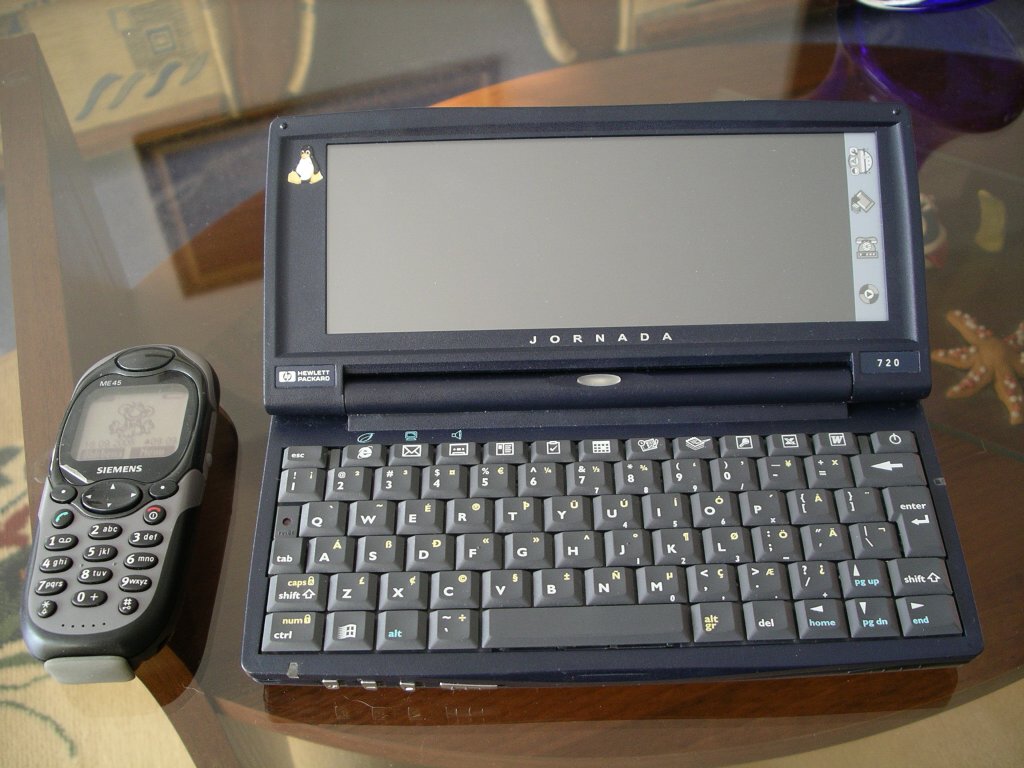
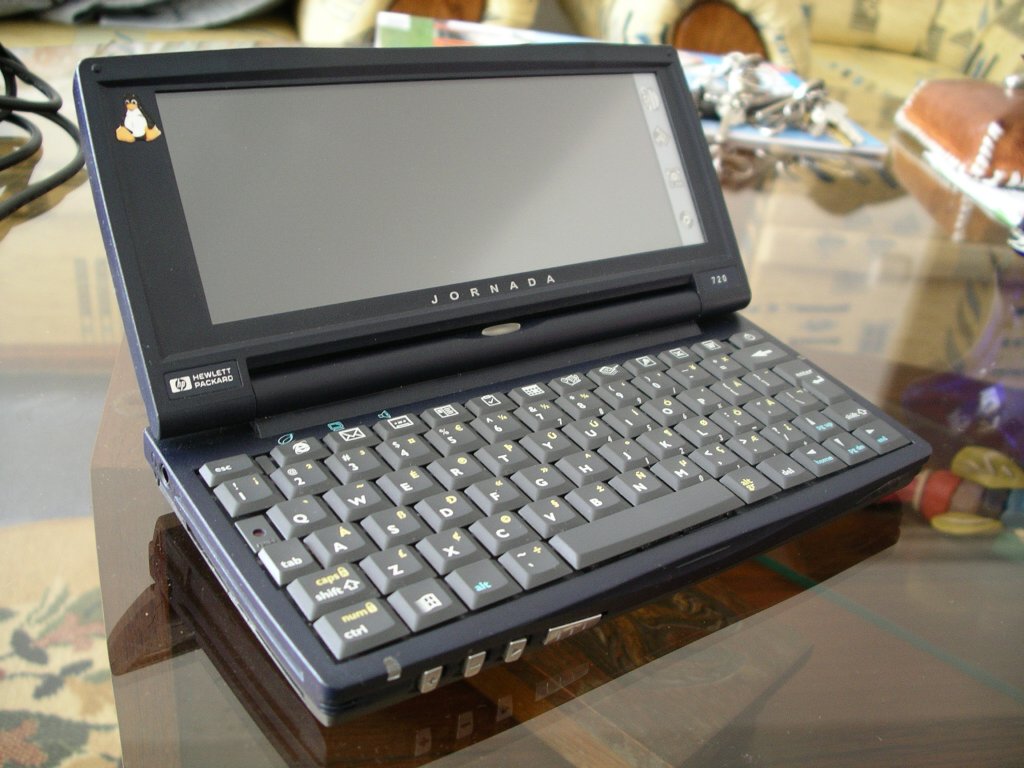
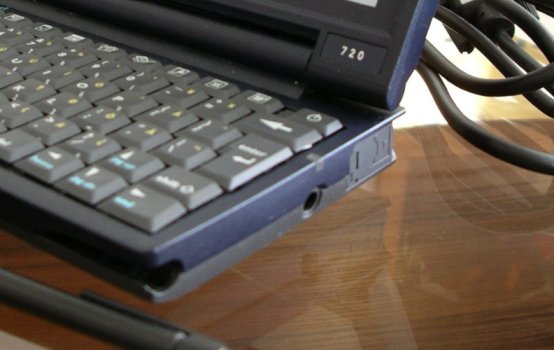
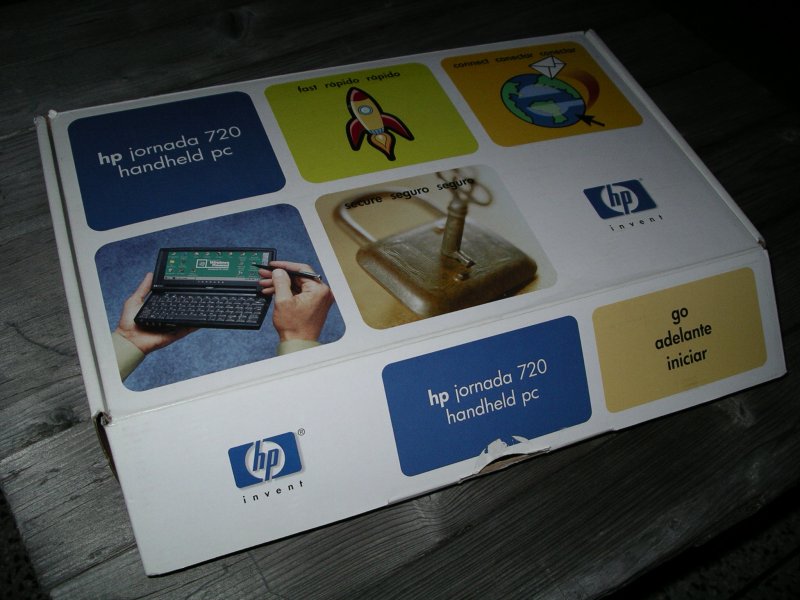
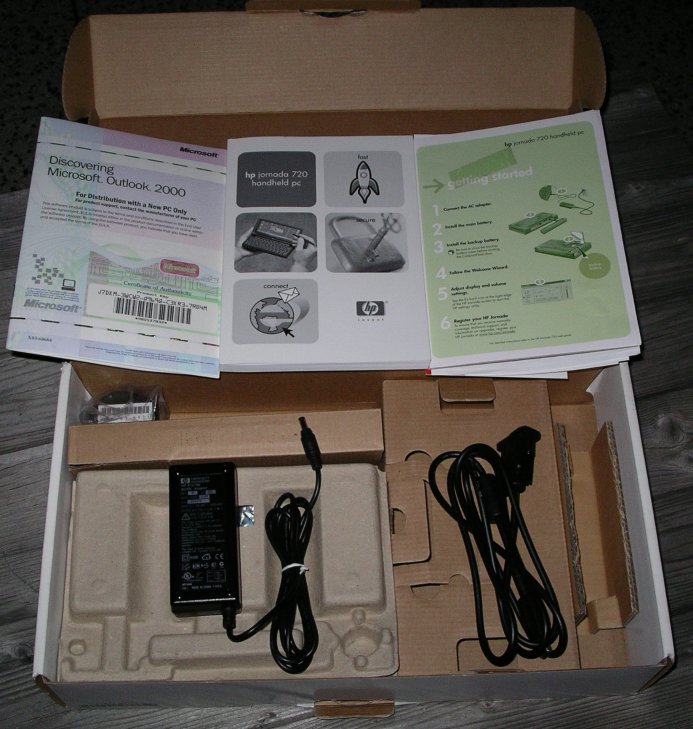
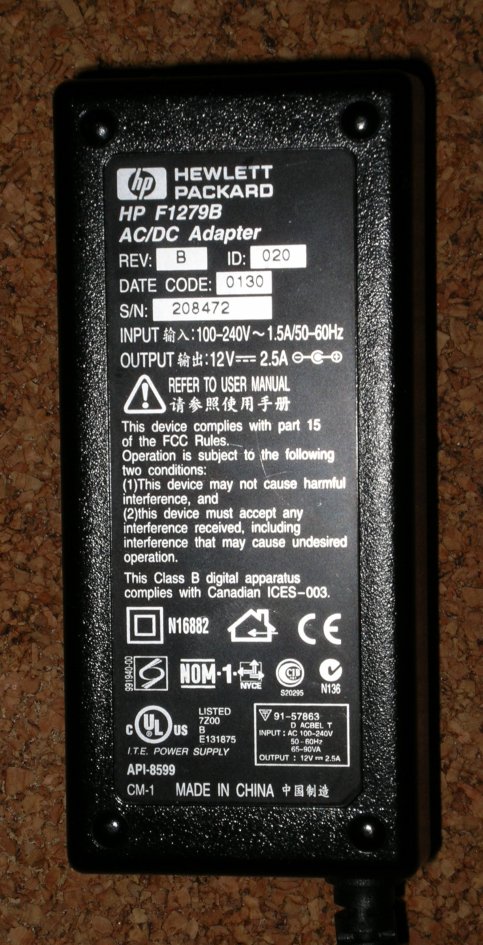
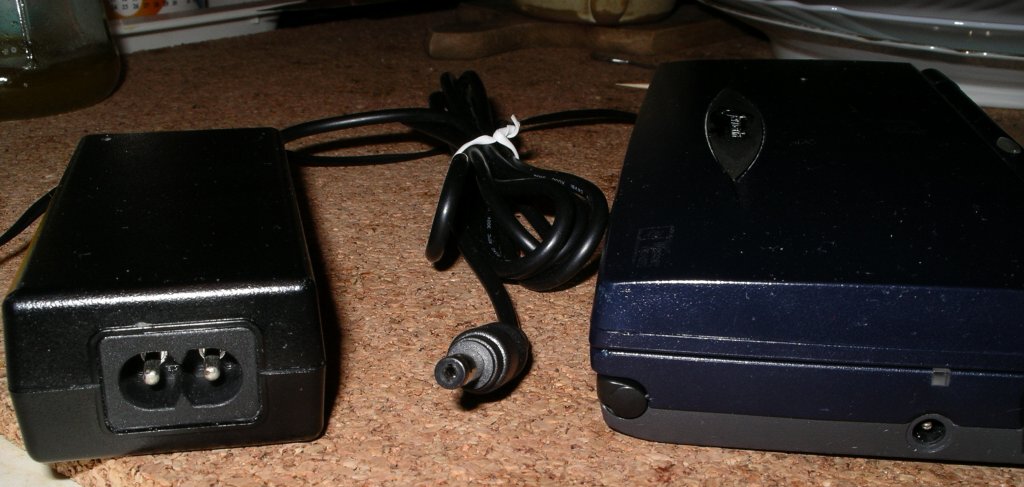
There are several hardware limitations:
PCMCIA supports only 16bit PC Card standard - 32bit CardBus will not work.
There is USB port on docking cradle, however Jornada is able to serve only as slave, not master.
LCD display seems to be slow (compared to nowadays LCD).
Operating system in Jornada is in ROM (no flash!).
Modem is soft modem.
You can not poweroff Jornada as you can e.g. PC. It is ever running device, except you remove all power sources.
History: Production started in 2000, ended Q2 2002. It is successor to HP Jornada 6xx however it has different hardware. Also 728 is not completely same (there is probably not many of them).
Linux for Jornada 720
First, I'd like to point to that Linux could be started
on Jornada
only from its Windows. This is due to fact, that operating system is in
ROM, which can not be changed anyhow. Well, yes there is option - so
called flash board exists. However this is not a standard part of
Jornada and it is very rare to have it. (There is scheme of the board,
but it's not easy to make it.) To start Linux, you'll need Compact
Flash card (at least 64MB) and some kind of
loader - linexec (recommended), haret or hpcboot could be used.
Loader is a binary for WinCE that stops WinCE operation and boots Linux
kernel.As Linux you can either use
- Familiar Linux distribution (now several projects around handheld devices merged under OpenEmbedded, so Familiar is also based upon it)
- it is available in two flavours (FAQ)
- Debian ARM - sarge image by
Matthis Rouch - for advance users; OpenPsion SargeBook v4 or v5 could be used with some modification
- 720degrees.org debian based distribution with apt repository
- Embedded Gentoo (for experienced users only - not completed yet) - experimental stages , EG Wiki
- JLiMe - Jornada Linux Mobile Edition was mainly for J6xx. It's main developer Kristoffer is maintainig 2.6.x kernel port for Jornadas and he is also preparing JLiMe for J7xx
- Recently I found some new pages with IceWM and GPE images
The most common choice is Familiar Linux. Even thought this is mainly for HP (Compaq) iPaqs, Familiar 0.8.2 has also its images available for j720. There are two kinds of images
- jffs2 - those could be used only with flash board (you do not have flash board most probably)
- rootfs.tar.bz2 - this is only compressed / root file system,
could be uncompressed on almost any filesystem (recommended is ext2,
ext3) - I'll continue with this.
Using 2.4 kernel with Familiar Linux, without flashboard
To use Familiar 0.8.2 with 2.4 kernel you have to make modification to
rootfs. This is due to fact that 2.6 kernel, which is in Familiar, is using udev (dynamicaly
created device files) and it needs different commands to handle modules
(2.6. kernel changed module names etc.) Also you'll need to use initrd,
but this is because you'll boot from WinCE.1. Getting kernel
You will needvmlinuzfrom http://wwwcip.informatik.uni-erlangen.de/~simigern/jornada-7xx/linux-2.4.31-j720/
initrd
modules
On same site you can get also linexec.exe http://wwwcip.informatik.uni-erlangen.de/~simigern/jornada-7xx/linexec/
Then you need a params.txt file with this content:
It is a config file for linexec and says where is the vmlinuz (kernel) file and initrd image (initial filesystem).\Storage Card\vmlinuz-2.4.31-j720-5
\Storage Card\initrd-2.4.31.gz
Note: On third line of params.txt there could be optional parameters for linux kernel (you usually do not need them). E.g.:
init=/linuxrc keepinitrd root=/dev/rd/0 console=ttySA0
2. Getting Familiar Linux
Note 13.11.2010: As handhelds.org is often dead now, it may come handy to use at least mirror at ftp://ftp.gwdg.de/pub/linux/handhelds/From http://familiar.handhelds.org/releases/v0.8.2/install/files/ download either GPE or OPIE image (both work) for j720 - e.g. gpe-image-jornada720-20050407154438.rootfs.tar.bz2
Modified Familiar 0.8.2 opie image
As some users request "accurate" Jornada 720 image of F0.8.2 I prepared opie image with few modifications, that will make your start easier. You can skip step 4 with this image and most of issues from step 6 are also solved in it. You can use this image only with kernel 2.4.31-j720-5!
opie-image-jornada720-20050407154438-covex.rootfs.tar.bz2
3. Partition Compact Flash
Make two partitions on CF (use linux fdisk or anything else that is able to make linux filesystem)
- at least 8MB FAT
- rest ext2 (recommended) or ext3 - at least 50MB
Copy vmlinuz, initrd, linexec and params.txt to FAT partition.
Uncompress rootfs.tar.bz2 to ext2 partition.
(command details at ref. [1])
4. Modify rootfs for kernel 2.4
Uncompress modules to ext2 partition (you need modules for 2.4 kernel instead of 2.6 but you can leave 2.6 modules there) .
Get device files and module tools here
->  (NOTE: if you
used older version than _2 then you have incorrect depmod.24 and none
of your modules could be inserted) and copy it to
ext2 partition too (also basic fstab and initrd dir included).
(NOTE: if you
used older version than _2 then you have incorrect depmod.24 and none
of your modules could be inserted) and copy it to
ext2 partition too (also basic fstab and initrd dir included).
You are ready now to put CF to j720 and start linexec.
5. Add more apps
Familiar is using ipkg tools. As soon as you will get up your network you can try to do ipkg update and ipkg install something.If network is not working for you, you can download files manualy from http://ipkgfind.handhelds.org/, copy them to CF and install with ipkg install file.
As handhelds.org seems to be most of the time down, here is a mirror of familiar 0.8.2 ipkg feeds. Change the /etc/ipkg.conf to
src/gz base http://lowlevel.cz/familiar/v0.8.2/feed/base
src/gz updates http://lowlevel.cz/familiar/v0.8.2/feed/base
src/gz opie http://lowlevel.cz/familiar/v0.8.2/feed/opie

# not needed for opie
#src/gz world http://lowlevel.cz/familiar/v0.8.2/world
#src/gz x11 http://lowlevel.cz/familiar/v0.8.2/x11
6. Issues with Linux kernel 2.4 and Familiar 0.8.2
Brightness, contrast (highlight) of the display can not be changes and is fixed (readable well).modprobe j720_control; echo 110 > /proc/jornada/contrast; echo 190 > /proc/jornada/brightness. Reasonable values: brightness: 130-255, contrast: 70-180. Lower value means higher contrast/brightness. Opie in F0.8.2 is not able to control display this way.
There is no sound.Sound is working well with saa1111-uda1341 module loaded. It is possible to use mpg123 (cpu load 40-45%) to play mp3 files. mp3blaster is too heavy load for CPU and sound is choppy. Best is to use madplay (is not using FPU, cpu load cca 15%).
Battery status is not available (sometimes it say something but is not correct all the time).Have to insert j720_control module, then take a look at /proc/jornada/battery. Nevertheless Opie does not show status.
- Power management is bad, only decreases frequency from 206MHz to 59MHz and suspends pcmcia card. Battery lasts only 10-12h when "suspended".
-
2.4 kernel does not reboot properly with F0.8.2 - your FS requires fsck - there is not e2fsck in F0.8.2
Keyboard keys for { } [ ] are not working. | \ is on {[ key. / ? in on right alt gr key. Alternative keys for PgDn, PgUp, Home, End are not working, special HP keys are not always used (They are F1...F11).See further.IrDA not working (modprobe irda; modprobe irtty; irattach /dev/ttySA2 -s)MG: mknod /dev/ircomm0 c 161 0; modprobe sa1100_ir; irattach irda0 -s; I sucessfully connected from Jornada trought irda and ME45 with gprs to internet using standard gprs chat scripts.- Do not enable console on tty2 with opie - opie uses it and it colides with getty. To enabled it on tty4 uncomment line "4:23:respawn:/sbin/getty 38400 tty4"
GPE: desktop seems unhandled - no icons on desktop, some apps from menu do nothing. Display is not organised well for 640x240, it assumes high and narrow display sometimes. First time boot is quite long, you'll have to wait. (This is not true for a new GPE images available nowadays.)
OPIE: beautiful environment, fast, for all people wanting PDA functions with Linux under the hood.
Tips and tricks for Familiar and Jornada at all
1. if you are getting still messages that /etc/modules.conf is more
recent than /lib/modules/`uname -r`/modules.dep than it is because
every time you hard reset jornada your clock is reset too. Therefore
you can add touch /etc/modules.conf at the beginnig of
/etc/init.d/modutils.sh (before depmod -Ae), or you can use a short script  to store and load date at shutdown/startup.
2. To see/read a syslogd output from circular buffer use busybox logread command
3. When booting WinCE and starting linux you do not need to go through all the settings, simply press ctrl+esc, select with arrow keys Programs/Windows Explorer OR better pres Win+e to open Explorer directly. In Explorer go again with arrows to Storage Card, then select linexec.
4. If you, as I do, often needs to hard reset Jornada, remove backup battery permanently. It is useless for Linux. To hard reset jornada you have to remove all sources - battery, backup battery, AC. If Jornada asks if it could delete RAM data at boot say Y.
If you have original Jornada with WinCE in ROM, you do not need to worry that you can damage wince anyhow with your experiments. They can not be overwritten.
If you press "s" key during boot you start System Diagnostic. You can test there all components of Jornada, however not all tests are possible for us as they need special "tools". At least you can test ROM and RAM, sound, keyboard etc. What I was not able to accomplish is IR test, serial test (need counter part I do not have), PCMCIA and CF (need special cards).
Kernel 2.6 - experimental
The vanilla kernel 2.6.13 supports Jornada 720 and has some functions of Jornada implemented but not all - so vanilla kernel is missing lot of usefull stuff like audio support.Therefore there are three lines of 2.6 kernel suitable for j720:
- -hh version - from handhelds.org cvs. This version has lot of
additional features patched, but is not always possible to compile. It
is included in Familiar images, however is suitable only for Jornada
with flashboard.
- vanilla kernel - only few thinks supported, but could be compiled for j720.
- vanilla kernel + patches from its maintainer Michael Gernoth
- there is concatenated patch for PCMCIA, keyboard, touchscreen and
other stuff, some of them are already included in vanilla, still under development.
This is myself compiled version of 2.6.13 with initrd and params file you can try.
Using Linux with flashboard
With flashboard I was not able to get Familiar 0.8.2 working (this is most probably caused by bootldr which is too old (2.19.7) and needs to be updated to boot 2.6 kernel). Kernel always ends up with unable to mount root.There are two jffs images that at least run Linux:
As flashboard flash content needs to be changed, that task is not easy for begginers.
Flash on board is devided to two part - bootldr and root. When bootldr part is damaged then your board is dead. There is only one place in world where it could be brink back to life, and maybe it does not exist anymore. So beware! If you have any troubles to update bootldr DO NOT SWITCH OFF Jornada - join IRC and discuss further.
Root partition you can use to store the system. It has 32MB only.
You need to have serial console working, then you have to get into bootldr (pressing "space" while checking flash)
- boot> set ymodem 1 - for faster upload use ymodem instead xmodem
- boot> load root - start ymodem transfer of flash image to root (minicom: Ctrl+a z, s, ymodem, choose file)
Serial console to Jornada
Howto setup serial console to JornadaPC (DB9M) (DB9F)<----->(Jornada720_10pinF)(Jornada720_10pinM) Jornada
To make a serial console on Familiar working with Jornada first you have to make at least this device for it.
This is a serial connector at the back of Jornada. Then you need to have proper line in /etc/inittabmknod ttySA0 c 204 5
This starts serial port console in Linux and you can login and work with Linux. The other parts - bootldr and kernel, have their own serial console handling but for all of them you need to have proper terminal configuration.S:12345:respawn:/sbin/getty 115200 ttySA0
To see also the ouput of the kernel it is desired to add a kernel boot parameters like
console=ttySA0,115200 console=tty0into params.txt file.
Configure minicom on your PC - correct settings are 115200 8N1 serial configuration, no flow control, no hardware handshaking
You can change also Modem and dialing settings - this depends on your minicom settings.minicom -s
Serial port setup
A - set your COM port jornada is connected to
E I - set speed of com port to 115200
Enter Enter Exit
Hardware for Jornada 720
Network
I tried these network cards:- SafeWay LAN Adapter 10/100 CardBus 32bit
- 3com Megahertz 10/100 LAN PC Card 16bit 3CCFE574BT
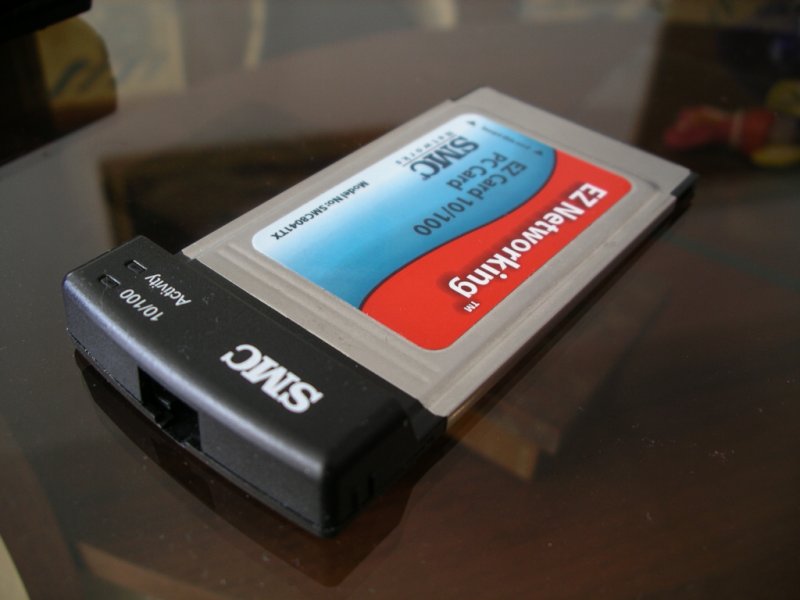
- SMC EZ Connect Fast Ethernet 10/100 LAN 16bit PC Card SMC8041TX V.2 EU
SafeWay
SafeWay is 32bit cardbus - as this it is not working in PC Card only PCMCIA slot that is in Jornada.
3com
It seems to work but does not in real. Card identifies OK, loads module 3c574_cs but produces strange messages and its MAC address is like this:eth0: Megahertz 574B at io 0xc2800300, irq 114, hw_addr 02:02:02:02:02:02.
ASIC rev 2, 8K FIFO split 5:3 Rx:Tx, MII interface.
eth0: command 0x5800 did not complete!
eth0: command 0x0010 did not complete!
eth0: command 0x5800 did not complete!
NETDEV WATCHDOG: eth1: transmit timed out
eth0: Transmit timed out!
irq status 0808, rx status b6b6, tx status b6, tx free b6b6
diagnostics: fifo 0808 net 0808 ethernet 0808 media 0808
Card is not transmiting, autonegotiation is not inicialized (none of the leds lights).
SMC
Works well even though it sometimes also says that tramsition timed out. Identifies as NE2000 compatible card. Loads modules 8390 and pcnet_cs.SMC card is mentioned to be low power.
Wireless
The only card I can recommand is- Zcom XI-325 PCMCIA Wireless LAN PC Card
Zcom XI-325 PCMCIA Wireless LAN PC Card
This is 2.4GHz LANEscape 11Mbps IEEE 802.11b card. It is working in Familiar out of the box with orinoco_cs module or with hostap_cs after some tweaking.
GPS
- iTec CompactFlash GPS reciever BC-337 SiRF STAR III shows as COM2 device
Reduction
I am using- PQI Compact Flash Adapter
- SanDisk 6in1 PC Card Adapter
Jornada Keyboard and touchscreen
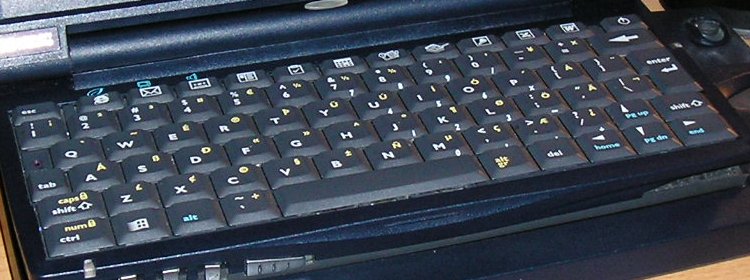
This is a picture of keyboard on Jornada 720 country code ABB (CC you can find on label at bottom of jornada). For this Jornada you can load keymap at the start of the system to have correct keys mapping in console.
For Familiar 0.8.2 with kernel 2.4 you need to:
- Install console-tools - ipkg install -force-overwrite console-tools (you have to use -force-overwrite because some of the tools are already provided by busybox)
- download this keymap (Thanx to Marek Coufal), ungzip it and put it e.g. to /etc/keymap/ directory and create rc script with command loadkeys /etc/keymap/bootime.kmap
For kernel 2.6 you have to apply patch, if it is not already included.
Picture of another 720 keyboar layout

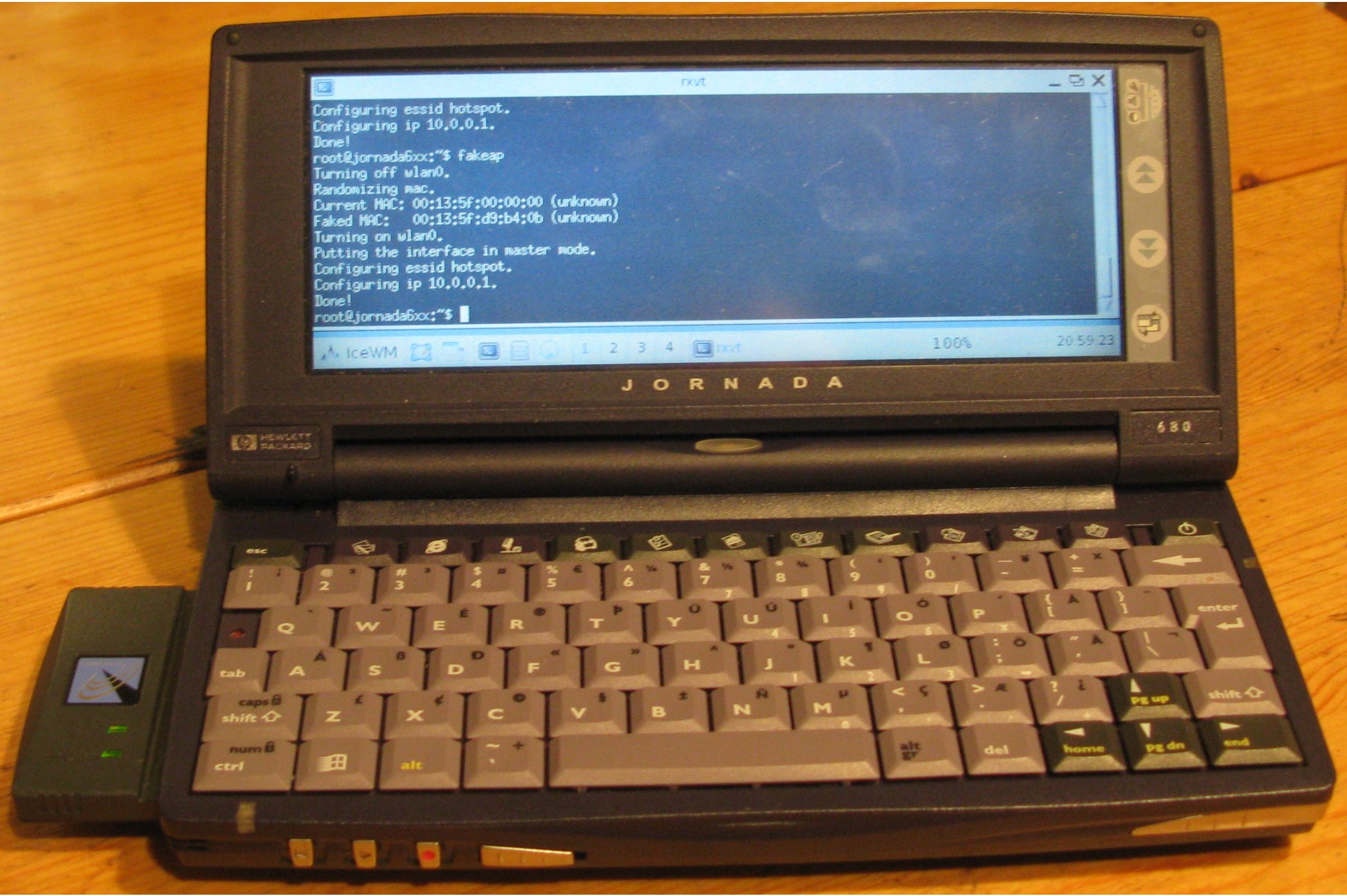
Picture of keyboard of j680 (from http://jornada680.wdfiles.com/local--files/start/jornada680.jpg)
NetBSD keyboard layouts source
Howto calibare touchscreen - xtscal
For touchscreen calibration under gpe xtscal program is used. But it is not easy to invoke gpe-xcalibrate.sh when your touchscreen is completely misscalibrated.You can use serial console or network to start calibration. After login:
DISPLAY=:0 gpe-xcalibrate.shhowever in Familiar 0.7.2 the calibration was not ok, so you can use xtscalibrate directly to set the touchscreen parameters, here is what I aproximated.
DISPLAY=:0 xtscal-bin -cal -180 700 75 -33 0
Expected values to xtscal: XSCALE XTRANS YSCALE YTRANS SWTCHXY.
Jornada 680 and 720 cradle pin out
Cradle pinout is almost same for 680 and 720 - I measured it myself. Cradles could be swaped.
680 CRADLE PINOUT -
CRADLE
======
JH 1 2 3 4 5 6 7 8 9 10COM CD RD TD DTR SG DSR RTS CTS 9pin 10pin0 0 -5V -5V 0 -5 0 0 0 +12V
COMp 5 3 8 1/6 / 4 2 7 / /
COM GND TD CTS CD/DSR / DTR RD RTS / /
VIEW to bottom side of jornada 680/720.
-----------------------------------------------------
| 6 7 8 9 10 JH |
| ----------------- |
| | o o o o o | |
| | o o o o o | |
| ----------------- |
| 5 4 3 2 1 |
| |
|-----------------------------------------------------|
| BATTERY |
|-----------------------------------------------------|
-----------------------------------------------------
720 CRADLE PINOUT
      ___
USB  /   \
     |1 2|
     |3 4|
     -----

JH    1   2   3       4   5   6   7   8   9   10
COMp  /   3   8     1/6   5   4   2   7   /    /
COM   /  TD CTS  CD/DSR GND DTR  RD RTS   /    /
USB   1   /   /       /   4   2   /   /   3    /
                                            +12V
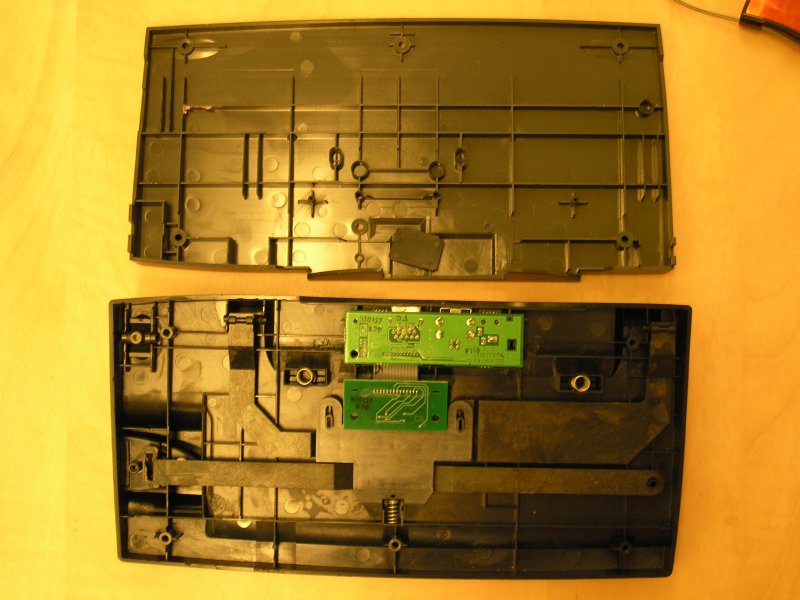
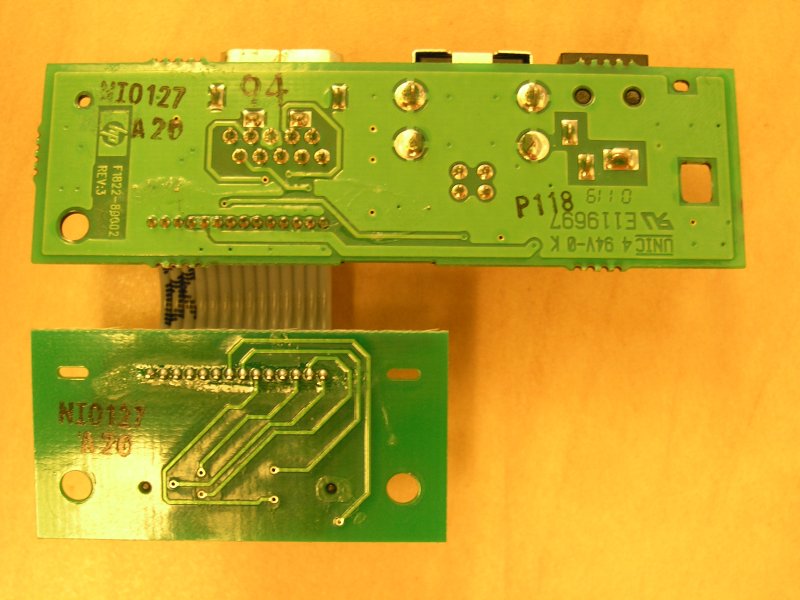
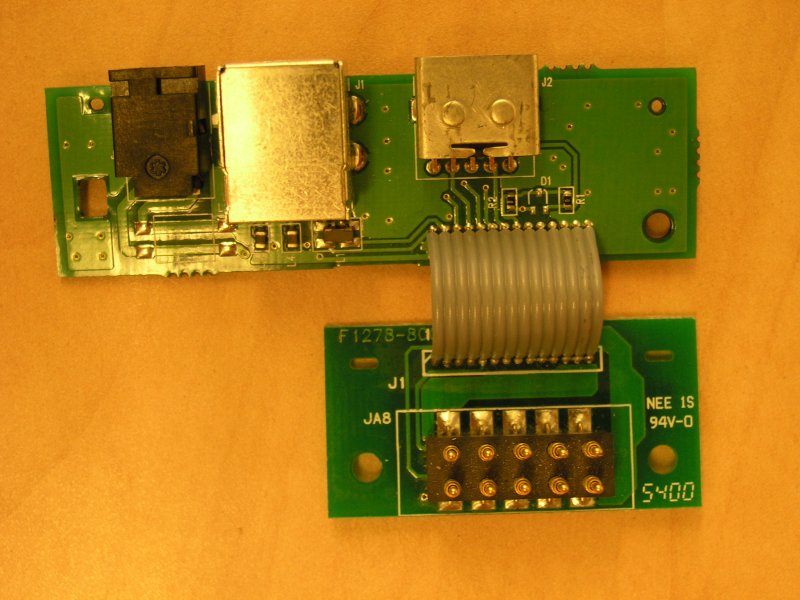
Standard DB-9 pin out is as follows.
Serial Port (DB9)Pin Signal Description
--- ------ -----------
1 CD Carrier Detect
2 RD Receive Data
3 TD Transmit Data
4 DTR Data Terminal Ready
5 GND Ground
6 DSR Data Set Ready
7 RTS Request to Send
8 CTS Clear to Send
9 RI Ring Indicator
Sync cable pinout
Sync cable pinout is same for 680/690 and 720/728.
It is (DB9F)<->(Jornada720_10pinF).
Refering to the left hand side of the connector as pin 1 looking into
the jornadas port - Male connector. ( sync cable connector if F and the number are from right to left - see picture):
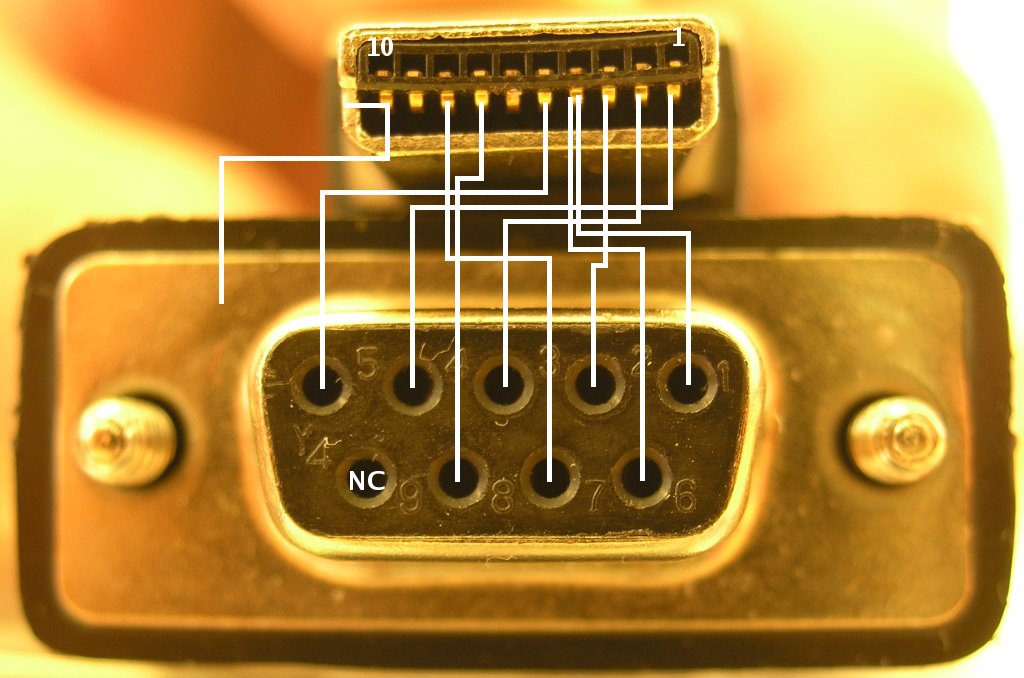
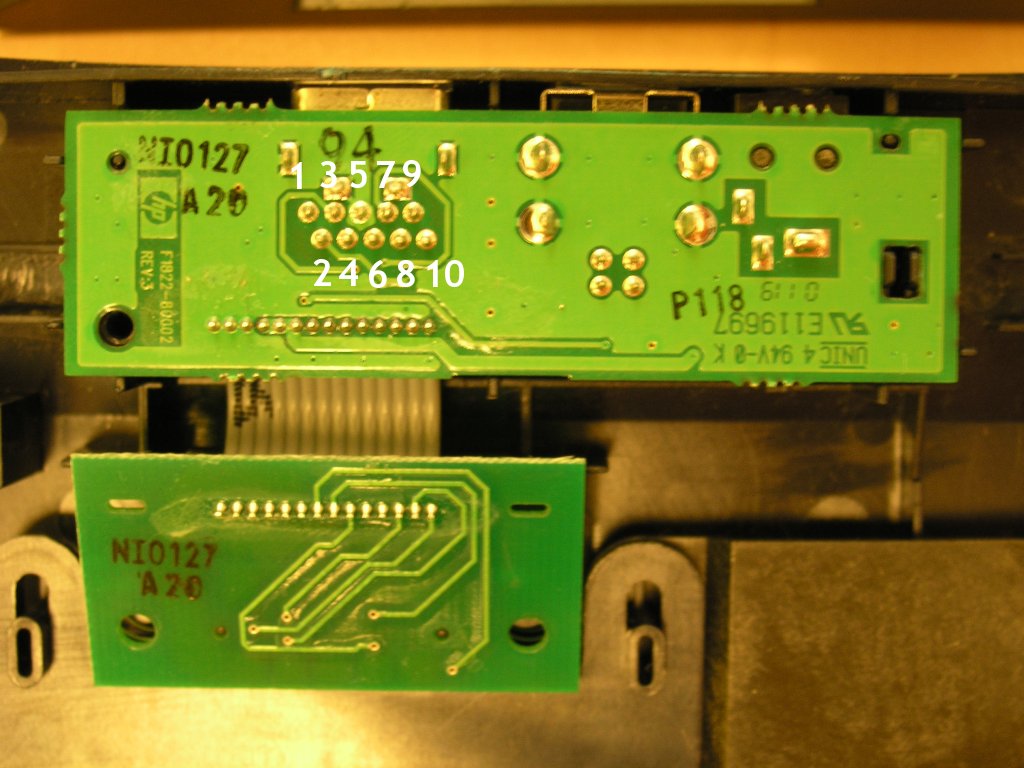
DB9F Jornada720_10pinIf you have cradle you should be able to make DB9 serial connector out of this PCB - the numbers are pins for Jornada720_10pinF connector (not tested!).
1 4
2 3
3 2
4 1
5 5
6 4
7 8
8 7
9 N/C
Shield to Shield
Flashboard for j720
Bottom side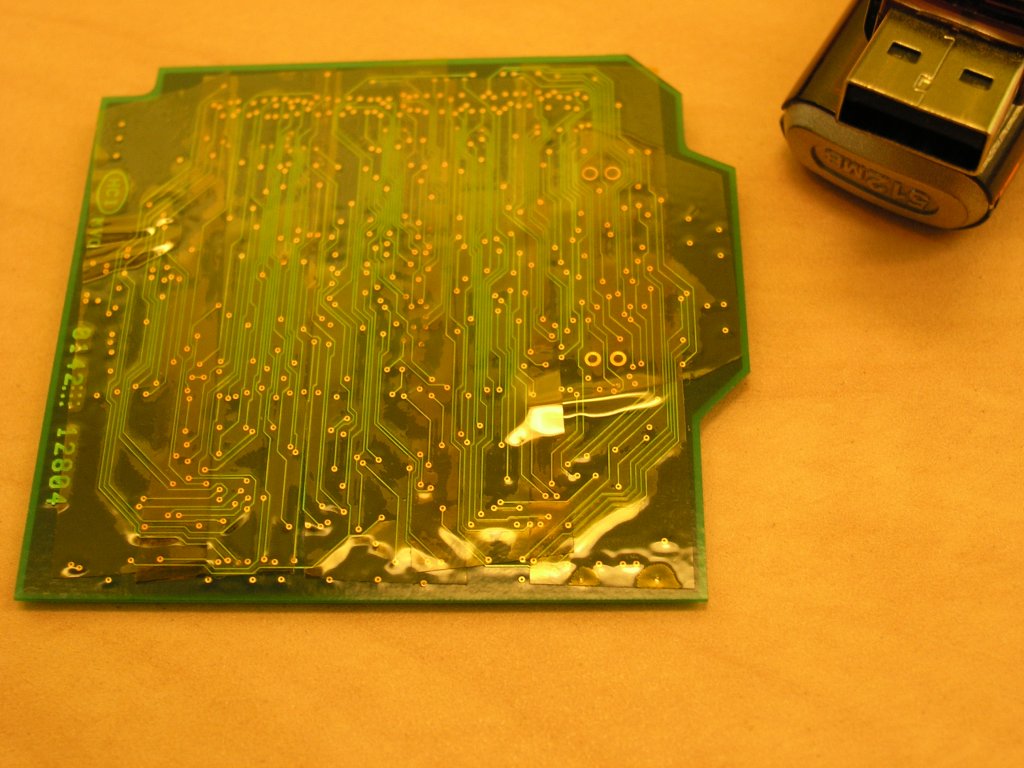
Top side with ICs
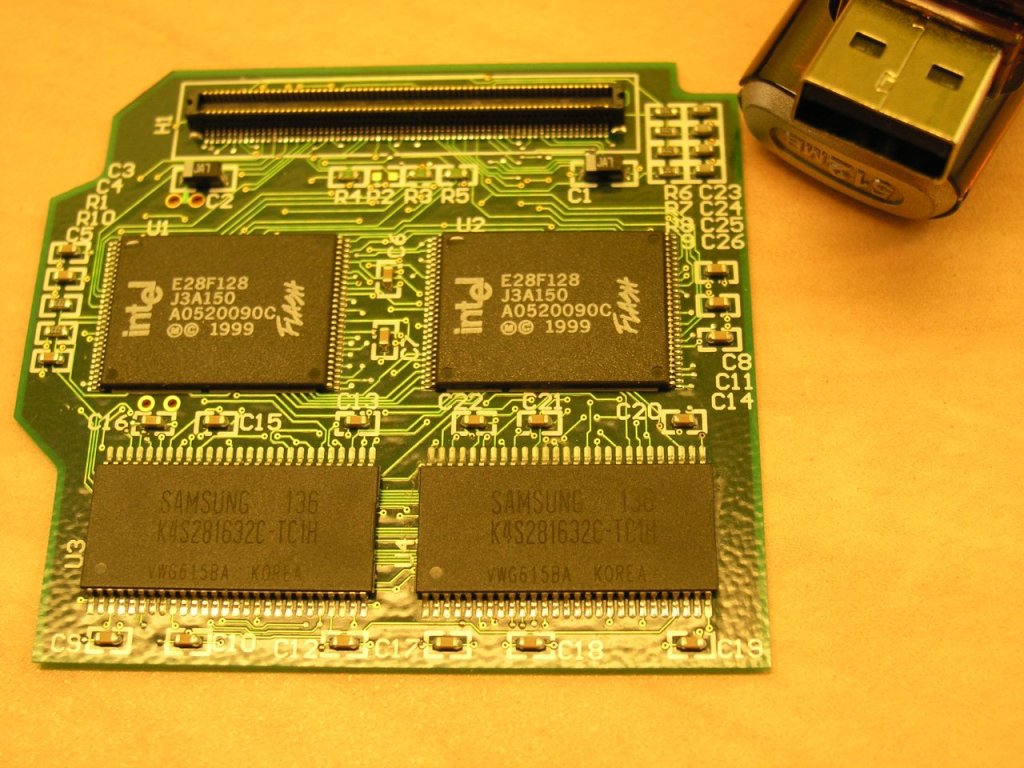
http://www.handhelds.org/handhelds-faq/bootldr.html
Howo install bootldr via serial port xmodem/ymodem/zmodem
Original flashboard content
See also: HP Jornada 720 and SynCE on Linux
References:
Jornada:
[1] http://radiolivre.org/darksnow/jornada/ - this page does not exist anymore. I did not found any replacement.
http://handhelds.org/moin/moin.cgi/HpJornada720 kernel install
TuxMobil - Linux on laptops, notebooks, PDAs, mobile phones / HP Handhelds/HP/Compaq PDA disassembly
Jornada architecture description - ports, IO, memory maps
Jornada mailing list archive
SA1100 serial port
http://acid.ch.pw.edu.pl/~sq5bpf/mylinux/j720/
Jornada 680 disassembly (German) soon Jornada 720 disassembly (German)
Howto replace display backlight with white leds for 680
ARM:
Arm assembler instructions
ARMware - StrongARM iPAQ emulator - proprietary - binaries only?!
softgun howto - ARM9 emulation
Tuxmobil ARM page
Jornada with NetBSD
HP
FAQ 720 vs. 728
Nec MobilePro 900 - another similar device
Jornada (czech) blog
Jornada 728