
Samsung Xcover 271 (GT-B2710)
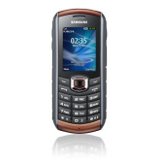 This mobile phone has very interesting specification, especially regarding it's IP67 protection against water and dust. Beside all the good thing (and this is a good phone), here I'll collect my complains. In my opinion most of them, may be fixed with firmware update, if Samsung cares.
26.6.2011 - Up to now Samsung have not released any FW update for this phone. All complains are still valid.
Pedometr
It's function in km is somewhat invalid. It counts 1 step as cca 0.75-1m, it does not mater what you set in the set up as your height and weight - it only calculates BMI. Deleting "All values" in pedometer, does not delete anything. There is no way to delete your history ATM. This function seems half baked to me, as there has to be a way to set up your step and some set up menus are accessible only if there is at least one step counted. It also often happens there are some steps counted even thought you did not start the counter.
GPS
GPS functionality is OK. There is however no software to use this functionality. Using TrekBuddy is some kind of compensation, however TrekBuddy has several problem ATM. It is not displaying correct number of satellites, it has problems with signature verification for this application and you have to confirm three times you want to start this application and allow it to use GPS. Also TrekBuddy has very thin marker, which is almost invisible on the Xcover screen. By default Java applications may only run in foreground and when phone enters sleep mode or you Minimize the app they are suspended. This can be "fixed" in the service menu. Type *#7092463*# and look for a Hide only function under JAVA/VM settings/MVM user End key option.
Radio
You can not set the radio to phone speaker without headset connected. This is really annoying as removing the sealing cover for the headset breaks the waterproof-ness.
3G/GPRS/EDGE
There is no obvious way to disable 3G. The "correct" way is to select different phone band (Settings/Network/Network Mode = Menu#92), however this does not disable GPRS/EDGE. My phone is still indicating that it is connected to the Edge. I did not found a way to disable it.
Localization and menus
Localizatin to Czech is really terrible. The translations are ill-logical, sometimes misleading or completely wrong (e.g. English "To:" in SMS/mail is translated as "Do:" which is a nonsense). The same applies for menu system. Event thou it is not that bad, some settings are hidden in menus you can hardly thing of. E.g. GPS (while this is the best case to remember, from all of them). While there is nice first level menu with icons, the rest is just a text list, no icons or signs. If you are using often some applications I did not find a way to make some kind of favourites. Every time I want to run trekbuddy I have to go thru the complete list of apps. When you wanna enable bluetooth think of finding it under Applications?
LED light
The LED light key should be locked with the keyboard. Even though some says it is turned off after 1h automatically, I do not see this as a best solution.
Battery life and charger
I was not able to reach the battery life specified by Samsung. With 3G disabled, I've got 3 day with cca 12h GPS on, and cca 7days with GPS off and rare phone calls/sms. This is not bad, but is far from 3weeks declared in specs. I was expecting at least 2 weeks with night profile set to off mode (this is not the same as switching of the phone). In a daytoday usage the phone really is lasting from one to two weeks, but the battery indicator is pretty bad. Almost all the time it shows full battery, then when it suddenly drops to 3/4 it means it is almost depleted. Never really saw 2/4 of battery showing for longer time. Also I have to complain to the indication of phone being in need of charge - it can not be switched off and the phone is periodically vibrating, while it auto-disables some functions and you can not re-enable them (e.g. it kills J2ME apps!), until charger plugged. Even thought the battery charger is rated to 5V/700mA, it is charging the phone for 3.5h. This is pretty long charge time, even for 1300mA battery.
Other
If your keyboard is locked and the alarm occurs, the phone unlocks the keyboard. This is not good as you may miss the alarm, keyboard unlocks and with the unlocked keyboard you may surf for hours just from your pocket.
It happened to me several times that the phone freezes, mainly when typing SMS. The phone is stuck and after some tome it self resets.
After shutdown, phone sets every time default storage to internal memory, even thou you set in menu to use the storage card. On every boot phone scans the internal storage card and is very sluggish. With 16GB it is unusable for several minutes.
The only legal way I know about to update firmware is thru Samsung Kies from internet. I do not like this way, as you never know what is going from your phone to Samsung and it is Windows only application.There is no way to quickly select sound profiles (you can only set silent on/off from existing profile with #). Sound settings are incosistent and spread over to various places (e.g. Alarm does not have a option "Vibarion, then melody", you can only set increasing melody volume for calls etc.)
The calendar is overall broken: events are disappearing, or deleting while editing other, there is no overview of all events, the appointment can only be scheduled to the future, but it does not prefill correct values (e.g. leave end after start). It has completely separate setup for sound, where you can only select a melody, nothing else. If you do edit of event and you change the time, it creates a duplicate event.
Symbol typing is terrible - it is under * but it changes the order according what you type last, you can not relay on symbol placement, have to always look thru all of them.
J2ME is broken by absence of <C key to clear symbols, there is a workaround by holding a # key in the fields to be able to edit them in "system" editor.
SMS are "broken" by design - Typing: first it asks for "To:" then for content. Browsing: When you browse SMS and open one, then date is shown at the end of the SMS.
Order of typing types is illogical - small letters, numbers, capital letters, should be Caps, small, numbers.
There are no other themes than the supplied ones, there is some editor for Windows somewhere, but is unusable for mere mortals.
There is not way to easily backup the phone. You can easily export contacts to SD card with Contacts->Backup but this is all.
Samsung Kies is absolutely terrible software: big, useless, polutes Windows operating system with various runtimes, unreliable...
The letter O is at some places absolutely same as 0.
Trekbuddy
I used the 1.0.2 version, and it worked mostly OK. First, there were problems with certificate. Secondly the the B2710 does not have the back key, it was not possible to write coordinates, third the zoom in/out does not work (this should be solved in newer version like 1.0.18).
To solve the problem with the certificate I used Linux Fedora 15. After connecting the phone in Kies mode you must see that /dev/ttyACM0 was created (on some hw this does not work for me - dono the reason)
[11373.724037] usb 1-7: new high speed USB device number 5 using ehci_hcd
[11373.840964] usb 1-7: New USB device found, idVendor=04e8, idProduct=684e
[11373.840970] usb 1-7: New USB device strings: Mfr=3, Product=2, SerialNumber=0
[11373.840976] usb 1-7: Product: GT-B2710
[11373.840980] usb 1-7: Manufacturer: Samsung Electronics
[11374.474223] cdc_acm 1-7:1.0: ttyACM0: USB ACM device
[11374.475402] usbcore: registered new interface driver cdc_acm
[11374.475407] cdc_acm: USB Abstract Control Model driver for USB modems and ISDN adapters
Then download the TkFileExplorer_2.2.exe and install wine, create a symlink from com1 to ttyACM
ln -s /dev/ttyACM0 ~/.wine/dosdevice/com1
chmod 777 /dev/ttyACM0
Start TFE with wine and in settings setup a port com1 (lowercase!). Then connect and delete:
Phone( P: )/AppEx/User/Java/Games/TrekBuddy/MANIFEST.MF
Phone( P: )/AppEx/User/Java/Games/TrekBuddy/appdb/settings.bin
If you experinece the TkFileExplorer "error communication link is lost" then try to connect the phone to PC in Kies mode, then power it down and when battery charging shows, power it up again, it will start in a modem mode and you may access it with TkFileExplorer. By the way this is also the only way how I found it can be used as a modem for connection from a notebook. You may also try just restarting the phone.
Trekbuggy on the B2710 is not able to open tared maps greater than 4MB by default, it is necessary to either unpack them on the SD card otherwise you get an java OutOfMemory Error message in TB when opening map in tar, or change the TB settings. With 12000 files on SD this really slows down any operation with the card content and it takes several minutes after the phone start to read the card.
TB Misc settings for large maps
[] broken I/O
[x] lowmem I/O
[x] save renderer
[x] forced GC
[x] power save
[ ] 1-tile scroll
[x] large atlases
[ ] lazy gpx parsing
[x] numeric input hack
GPSMid
GPSMid is an open source offline navigation with voice directions for J2ME mobile devices. The application itself is very small - under 1MB.
There are maps generated from OpenStreetMaps for GPSMid.
I use them together with 0.7.7 GPSMid and they work quite well.
Refs:
Czech user review
One of the youtube discussions
TrekBuddy discussion + Czech one + MobilMania